 Wingware
What's New in Wing Pro
What's New in Wing Pro
Wing 12 integrates the Claude Code AI agent directly into the IDE. A new Claude Code tool, a Tasks tool for planning and reviewing AI agent work, and a set of MCP servers that give the agent access to Wing's source code analysis, unit testing, and debugging features make it faster and cheaper to direct AI agents from inside Wing than from a bare terminal. Use convenient FIX actions to ask the AI agent to fix bugs, failing tests, code warnings or write missing tests. See Wing's Claude Code Agent Integration for details.
Wing 12 also adds pseudo-terminal support for OS Commands and Debug I/O, tools in editor splits, a reorganized Tools menu, automatic test discovery, Preferences search, and more.
The release of Wing 12 comes with some changes to the product line: The Commercial vs. Non-Commercial use distinction has been replaced by two feature-based tiers -- Wing Pro (with AI agent tools) and Wing Classic (traditional IDE features only). Wing Personal has been discontinued. See Pricing and the Upgrading section below for details.
Previously, Wing 11 added support for Python 3.14, package management with uv, improved Python code analysis, updated the UI localizations, improved diff/merge, and added easier custom key binding assignment. Wing 10 added support for Python 3.13 and 3.12 (including faster debugging with the new PEP 669 low-impact monitoring API), support for running the IDE on arm64 Linux, Poetry for package management, and Ruff for code warnings and reformatting.
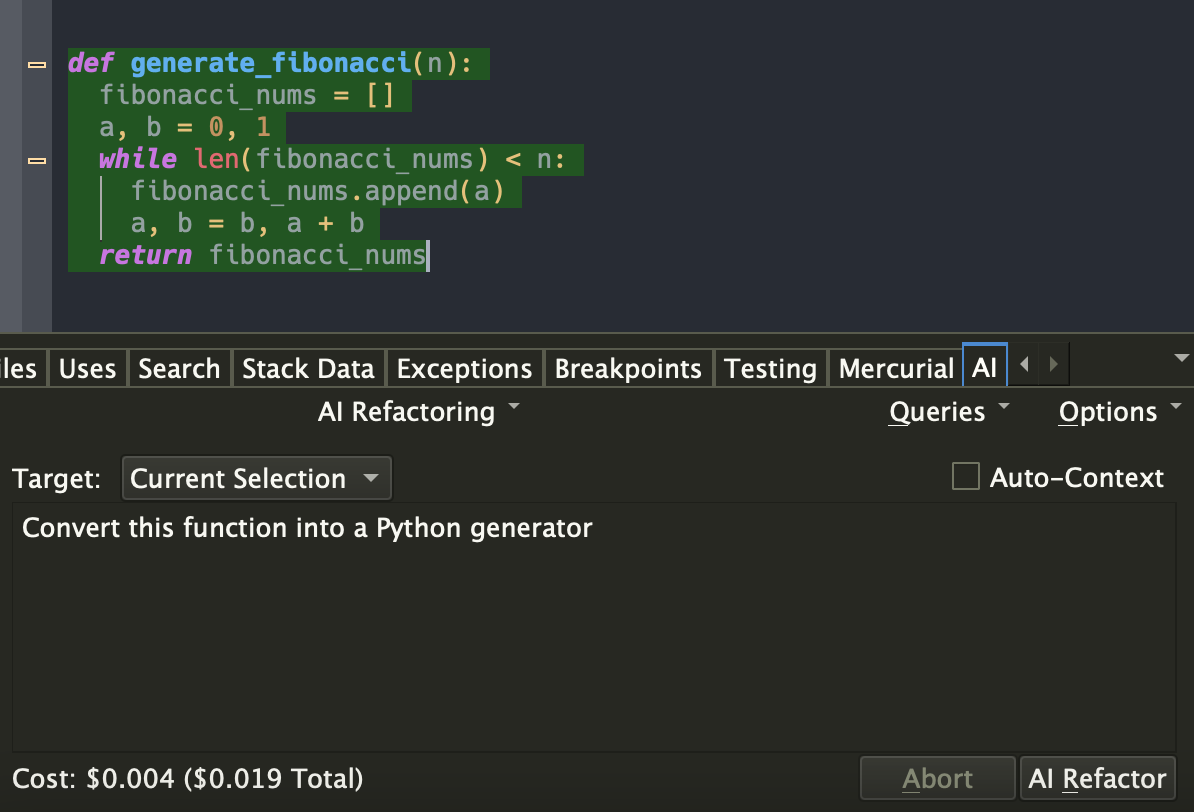
AI Agent Development with Claude Code
Wing 12 integrates the Claude Code AI agent directly into the IDE. A new Claude Code tool gives you a full agent terminal session inside Wing, and a Set Up for Claude Code item in the Project menu configures the active project for AI agent development. Wing's MCP (Model Context Protocol) servers give the agent structured access to source code analysis, the debugger, unit tests, and code review -- so the agent finds definitions instantly instead of grepping, runs only the tests affected by its changes, and uses real breakpoints instead of guessing. Same work, fewer tokens, less time. See Wing's Claude Code Agent Integration for details.
Tasks Tool
The new Tasks tool lets you plan, queue up, execute, review, and audit the history of AI agent development tasks, making it easier to supervise the agent's work and inspect changes before committing them to revision control.
FIX Actions and Write Tests
Wing 12 adds AI agent driven FIX actions that hand off the current debugger bug, failing unit tests, or code warnings directly to Claude Code for resolution. New Write Tests items in the Testing and editor context menus prompt the agent to write unit tests for selected code.
Pseudo-Terminal Support
The OS Commands and Debug I/O tools now default to using a pseudo-terminal that implements full ANSI terminal emulation, so you can run and debug programs that use color output, cursor positioning, or full-screen TUIs.
Tools in Editor Splits and Reorganized Tools Menu
Tools can now be added or dragged to editor splits, not just in the tool areas, allowing for much more flexible workspace layout. The Tools menu has also been reorganized into related groups, with an Other sub-menu for lesser-used or legacy tools, making the more commonly used tools easier to find.
Test Discovery and Preferences Search
Wing 12 adds an Auto-Discover Test Files option in the Testing tab of Project Properties, so you usually don't need to specify test file patterns or add test files individually to the Testing tool. Wing 12 also adds discovery of individual unit tests within files via Discover Tests in Project in the Testing menu. The Preferences dialog now supports text search and back/forward navigation, making it easier to find and change settings.
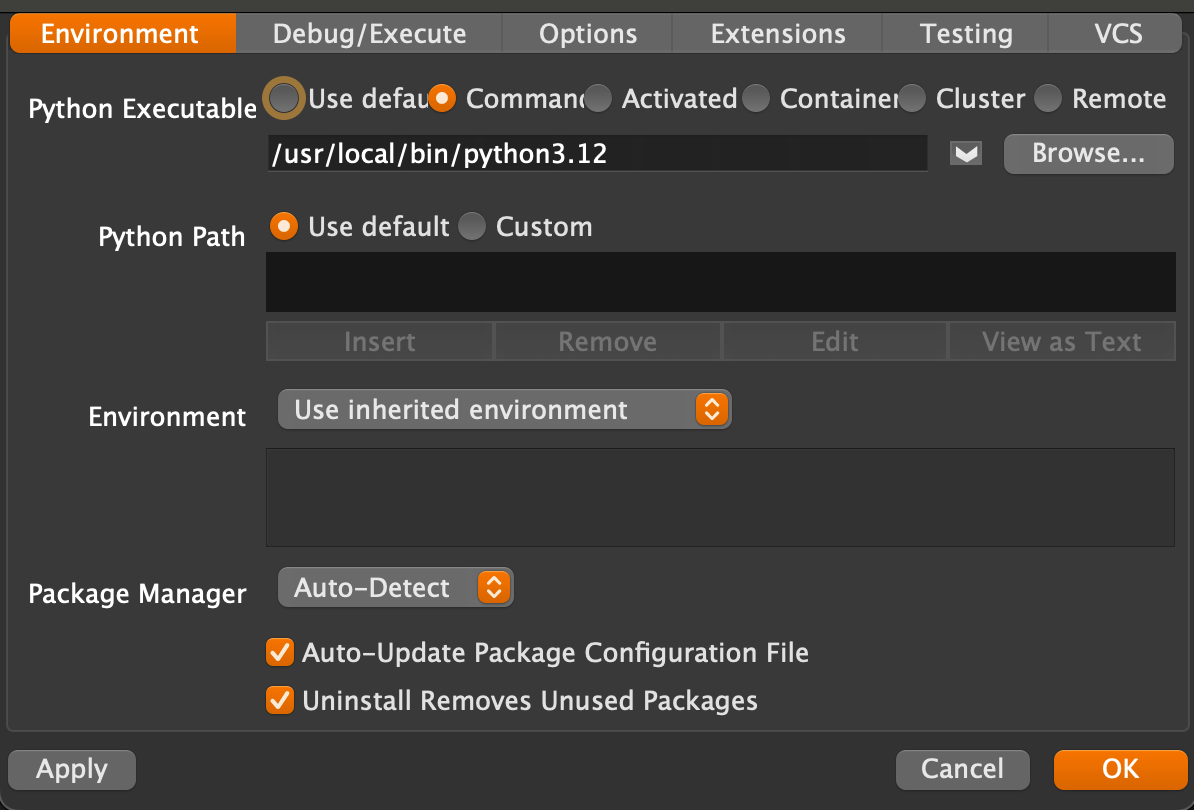
Python 3.11, 3.12, 3.13, 3.14, and 3.15
Wing 12 added support for Python 3.15. Wing 11 added support for Python 3.14. Wing 10 added support for Python 3.12 and 3.13, including (1) faster debugging with PEP 669 low impact monitoring API, (2) PEP 695 parameterized classes, functions and methods, (3) PEP 695 type statements, and (4) PEP 701 style f-strings.
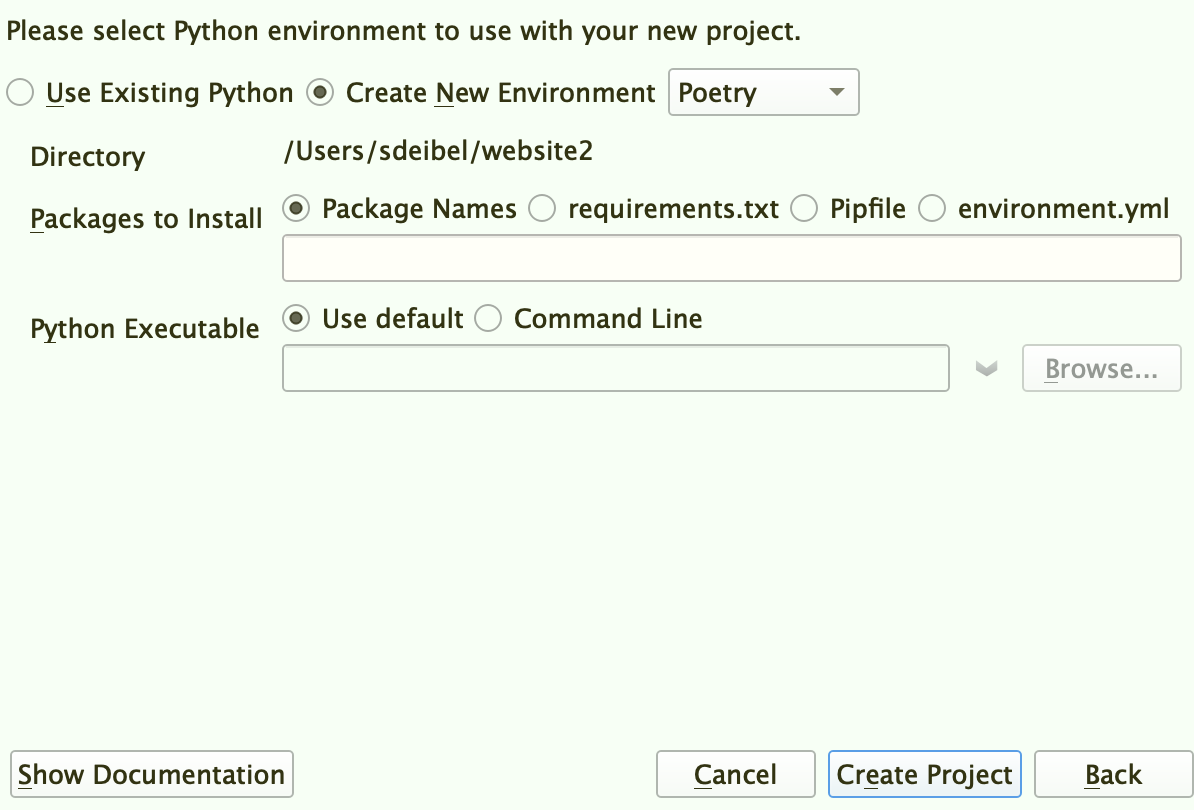
Package Management with uv and Poetry
Wing 11 added support for package management with uv in the New Project dialog and in the Packages tool in the Tools menu. Wing 10 added support for package management with Poetry.
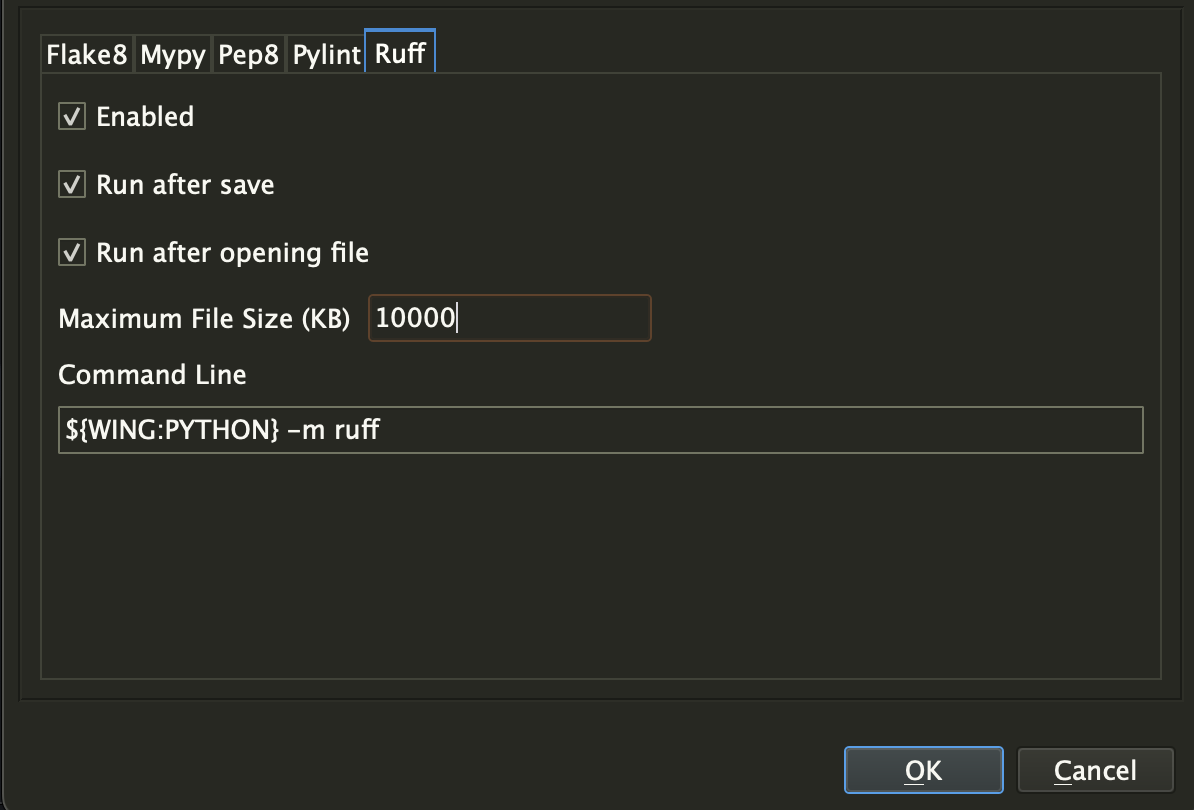
Ruff Code Warnings & Reformatting
Wing 10 added support for Ruff as an external code checker in the Code Warnings tool, accessed from the Tools menu. Ruff can also be used as a code reformatter in the Source > Reformatting menu group. Ruff is an incredibly fast Python code checker that can replace or supplement flake8, pylint, pep8, and mypy.
Other Recent Improvements
- Wing 12 substantially improves and accelerates Python source analysis
- Wing 12 prompts for SSH passphrases and HTTPS credentials when needed during VCS operations
- Wing 12 detects externally modified files much more quickly and with reduced CPU load
- Wing 12 saves and restores tool console scrollback across project close/reopen
- Wing 12 supports clickable OSC 8 hyperlinks in the OS Commands and Debug I/O consoles
- Wing 11 improved Python code analysis and updated UI localizations
- Wing 11 added an improved custom key binding assignment UI
- Wing 11 added a preference to auto-save files when Wing loses the application focus
- Wing 11 supports running the IDE on arm64 Linux
- Wing 10 improved the Diff/Merge tool and auto-imports UI
- Wing 10 improved New Project support for Docker, Django, and other environments
Not all of these features are available in Wing Classic. See the Pricing page for details on Wing Pro and Wing Classic.
The change log on the downloads page contains a detailed list of all changes in each release.
Legacy AI Features
The single-query AI features originally introduced in Wing 11 (the AI Coder and AI Chat tools, used to set up and run individual queries against an LLM) are considered legacy in Wing 12 and hidden from the user interface by default. They remain available in projects that already use them, and can be re-enabled in the Project Properties > AI preferences area, for users that wish to continue using them. See Legacy AI Tools for details.
Upgrading
If you are upgrading from an earlier major release of Wing, see Upgrading for details and Migrating from Older Versions for a list of compatibility notes.
Product line changes in Wing 12:
The old Commercial / Non-Commercial use distinction has been retired. Going forward, licenses are defined by features and price, not by who you are or what you do. Anyone can buy either tier for any purpose.
Wing Pro (the upper tier) is the full-featured Python IDE including AI agent development tools. Pricing is unchanged from prior versions,. Existing Commercial license holders automatically map to Wing Pro -- the upgrade path is unchanged.
Wing Classic (the base tier) is the complete traditional Python IDE for hands-on development, with no AI agent features. Existing Wing Pro Non-Commercial license holders automatically map to Wing Classic -- same license codes, same pricing, no use-case restriction.
Wing Personal is discontinued. It is no longer maintained as of Wing 12. Existing Wing Personal users have three options:
Stay on Wing Personal 11.x -- it continues to work indefinitely. No kill switch. Older versions remain available from the Wing Personal downloads page.
Switch to Wing 101 -- a free, simplified Python IDE for teaching and self-study. Available from the Wing 101 downloads page.
Purchase a Wing Classic license -- includes many features that were not available in Wing Personal including full debugger, code intelligence, project management with version control, refactoring, unit testing, framework support, etc. See Pricing.
Wing 101 is unchanged and continues as a separate, free download for teaching and self-study.
Try Wing Pro Today
Wing Pro is a powerful IDE designed just for Python. Download Wing Pro 12 to try the new AI agent integration, the full traditional IDE feature set, and all of the improvements in Wing 12 -- with a free 30-day trial. See Pricing for Wing Pro and Wing Classic licensing.
Download Free TrialQuestions? Don't hesitate to email us at support@wingware.com